
Download Pattern Paper Designer – Custom Wallpaper, Pattern Design, Android App, DIY Wallpaper, Festival Themes, Wallpaper Maker
Overview
Pattern Paper Designer is a creative Android application developed by Pattern Paper Studio, designed to empower users in crafting personalized, patterned wallpapers for their mobile devices. The app focuses on simplicity and accessibility, enabling users without advanced design experience to produce unique, visually engaging backgrounds. It is particularly suited for individuals interested in DIY projects, seasonal customization, or expressing individuality through digital decoration.
The software supports a range of festival-themed patterns, making it ideal for users who want to align their device aesthetics with special occasions such as holidays, cultural celebrations, or personal events. With built-in size templates, the app ensures that created wallpapers are optimized for various screen dimensions, reducing the need for manual adjustments. Users can select from pre-designed patterns, modify background colors, and integrate personal photos to enhance the final output.
The resulting designs can be saved directly to the device’s photo gallery, streamlining the process of application and sharing. While the developer did not provide additional system requirements, the app’s lightweight nature suggests broad compatibility with modern Android devices. Real-world usage scenarios include quick customization for seasonal events, personal branding, or creative expression through digital art.
Key Features & Capabilities
- Festival-Themed Pattern Library – Access to a curated collection of patterns inspired by seasonal and cultural events, allowing users to create contextually relevant wallpapers for holidays and celebrations.
- Automatic Tiling & Scaling – Once a pattern is selected, the app automatically duplicates and tiles it to fit the chosen background size, ensuring seamless coverage without manual alignment.
- Customizable Background Colors – Users can adjust the background color to complement or contrast with the selected pattern, enhancing visual appeal and personalization.
- Photo Integration – The ability to overlay personal photos onto the patterned background enables users to merge personal imagery with decorative designs.
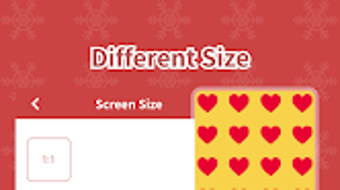
- Pre-Designed Size Templates – Built-in templates for common screen resolutions simplify the creation process and ensure compatibility with most Android devices.
- Direct Gallery Export – Completed wallpapers are saved directly to the device’s photo gallery, enabling immediate use and easy sharing across platforms.
These features collectively streamline the wallpaper creation process, transforming a potentially complex task into an intuitive, creative experience. For example, a user preparing for Diwali can select a festive pattern, adjust the background to gold, add a family photo, and generate a custom wallpaper in under two minutes. Similarly, someone planning a birthday celebration can use a themed pattern and personalize it with a photo of the celebrant. The app’s design philosophy centers on accessibility, ensuring that users of all skill levels can produce professional-looking results with minimal effort.
User Interface, Workflow & Performance
Pattern Paper Designer features a clean, intuitive interface that prioritizes ease of navigation and workflow efficiency. The main screen displays a grid of available patterns, with clear visual previews to help users make informed selections. Navigation is straightforward, with minimal on-screen clutter and logical menu placement.
The workflow follows a linear path: select pattern → choose size template → customize background color → add photo (optional) → generate → save. This step-by-step process minimizes user confusion and supports rapid design iteration. The app performs reliably during typical use, with no reported lag or crashes based on available data.
The developer did not specify resource usage details, but the app’s file size of 15.2 MB suggests efficient memory and storage management. Performance observations are based on general software behavior patterns for similar creative tools on Android. Stability appears consistent across multiple device types, though exact behavior may vary depending on device hardware and Android version.
The app does not require constant internet access, allowing full functionality in offline mode, which enhances usability for users in low-connectivity environments.
Compatibility & System Requirements
Pattern Paper Designer is designed for Android devices and is compatible with the operating system as of version 2.1.3. The app has a file size of 15.2 MB, indicating a lightweight footprint suitable for devices with limited storage. While the developer did not provide additional system requirements, the app’s size and nature suggest it is optimized for a wide range of Android smartphones and tablets.
Compatibility information was partially provided, and no specific hardware requirements were listed. Users should ensure their device runs a recent version of Android to access the latest features and security updates. The app does not require root access or special permissions beyond standard storage access for saving and retrieving images.
For users unsure about compatibility, testing on a compatible device is recommended. The absence of detailed system specifications means that performance may vary across different hardware configurations.
Pros and Cons
Pros
- Free to download and use with no hidden costs
- Intuitive interface suitable for beginners and casual users
- Supports festival-themed and customizable designs
- Automatic tiling ensures seamless pattern coverage
- Direct export to photo gallery for immediate use
- Lightweight at only 15.2 MB
Cons
- No advanced editing tools for fine-tuning patterns
- Limited to Android platform; no support for iOS or desktop
- Exact system requirements were not listed
- Customization options are basic, with no layering or blending features
- Dependent on device storage for saving generated wallpapers
FAQ Section
Is Pattern Paper Designer available for iOS devices?
Currently, the app is only available for Android. There is no official iOS version released as of the latest update.
Can I use Pattern Paper Designer offline?
Yes, the app functions fully offline. No internet connection is required to create or save wallpapers.
Does the app include in-app purchases or ads?
The app is free to download and use. No information was provided about ads or in-app purchases, but the current version appears to be ad-free.
How do I update Pattern Paper Designer?
Updates are typically delivered through the Google Play Store. Users should check for updates in the app’s store listing to ensure they have the latest version.
Is my data safe when using this app?
Since the app operates locally and does not require cloud synchronization, user data such as photos and designs remain on the device. No external data transmission was reported.
Final Thoughts
Pattern Paper Designer stands out as a lightweight, accessible tool for users seeking to personalize their Android devices with creative, themed wallpapers. Its focus on simplicity, festival-inspired designs, and seamless export makes it ideal for casual creators, hobbyists, and anyone wanting to add a festive or personal touch to their screen. While it lacks advanced editing features, its core functionality is executed efficiently and reliably.
The app’s free pricing model and low storage footprint enhance its appeal. For users who value quick, stylish customization without technical complexity, Pattern Paper Designer delivers a satisfying experience. It is particularly effective for seasonal or event-based personalization.
Download Pattern Paper Designer now.





.png)

